polar.
Organize your day without distractions.
polar. is an offline-first, privacy-focused task manager for Android. Beautifully minimal, surprisingly powerful, and completely yours.
built with kotlin & material design 3
100% offline build
optional cloud sync
open source
android 7+
what's new in v1.7
v1.7 is the new official release of polar.: redesigned reminders, settings by category and, for the first time, two builds to choose from.
two builds, one polar.
choose the 100% offline build, with no account and no internet permission, or the online build, which adds cloud sync for people who have been granted an account by the developer.
reminders redesign
an upcoming-alert summary, status filters, date groups and richer cards with description, time, date, location and quick actions.
settings by category
appearance, notifications, data and help in dedicated screens. every preference shows an icon, a description and its current value.
40 list icons
the icon picker grew from 16 to 40 options, with icons for shopping, education, health, fitness, travel, finance, leisure, family and home.
swipe everywhere
the same two-way swipe to complete, reactivate or delete now works in reminders, calendar and trash, with labels and colored backgrounds.
more reliable
no more lost subtask changes, swipe crashes or settings closing on back, plus a priority stripe that stays visible on every task card.
Everything you need, nothing you don't.
a complete toolkit for personal productivity, designed around focus and privacy.
powerful tasks
Create tasks with due dates, priorities, time estimates, descriptions, unlimited subtasks and recurrence rules.
smart lists & tags
organize life into customizable lists with 40 icons and colors. filter by tags like #work or #personal in seconds.
calendar & reminders
Visualize your month, tap any day to see its agenda, and set reminders by date, time or location.
insights & streaks
track completion rate, weekly activity, 30-day trends, priorities and per-list performance with smooth charts.
made for you
choose from 7 themes, 6 fonts, 2 checkbox styles and a dynamic font size slider. your eyes, your rules.
see polar. in action
from your daily task list to long-term planning, every screen is crafted to keep you focused.
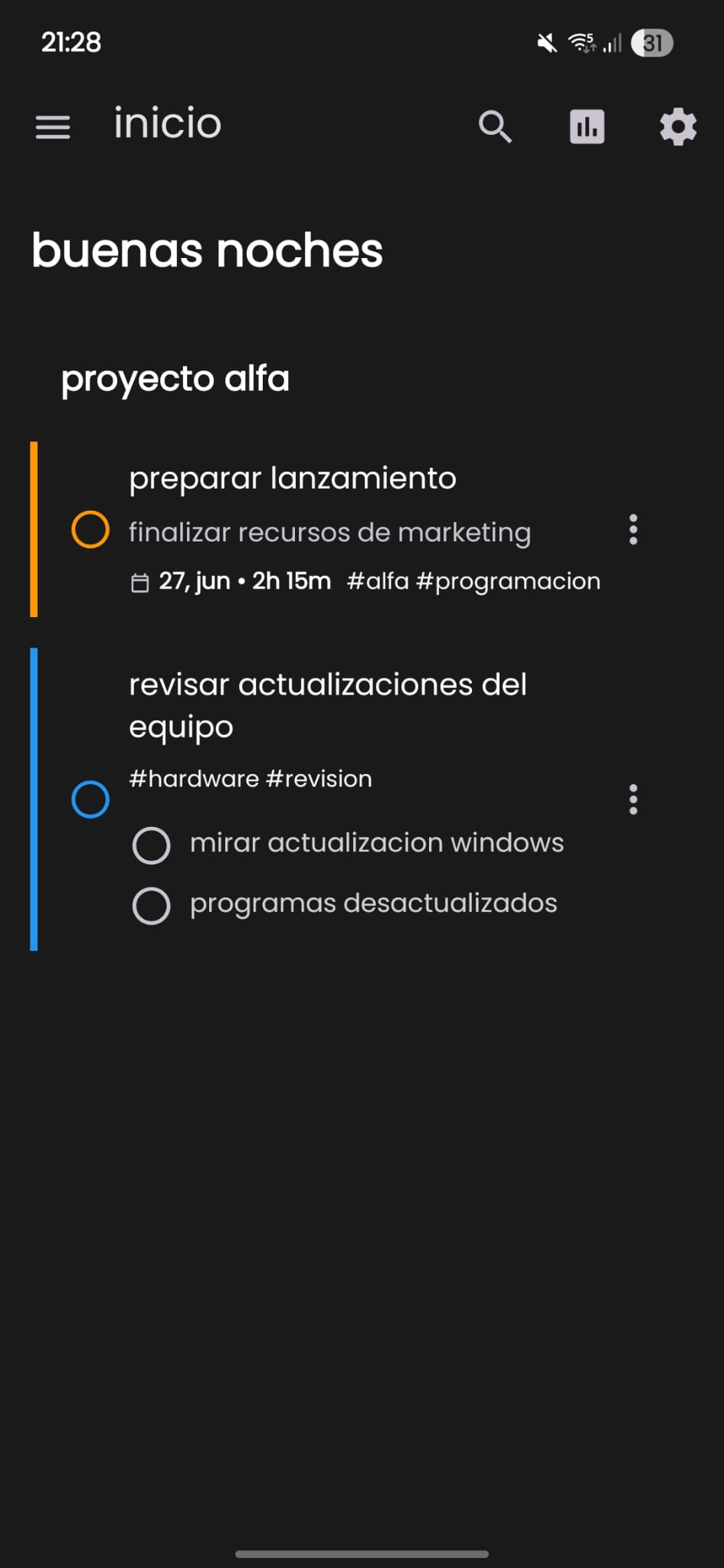
your home
lists, tasks and a greeting that adapts to the time of day. swipe to complete or delete.
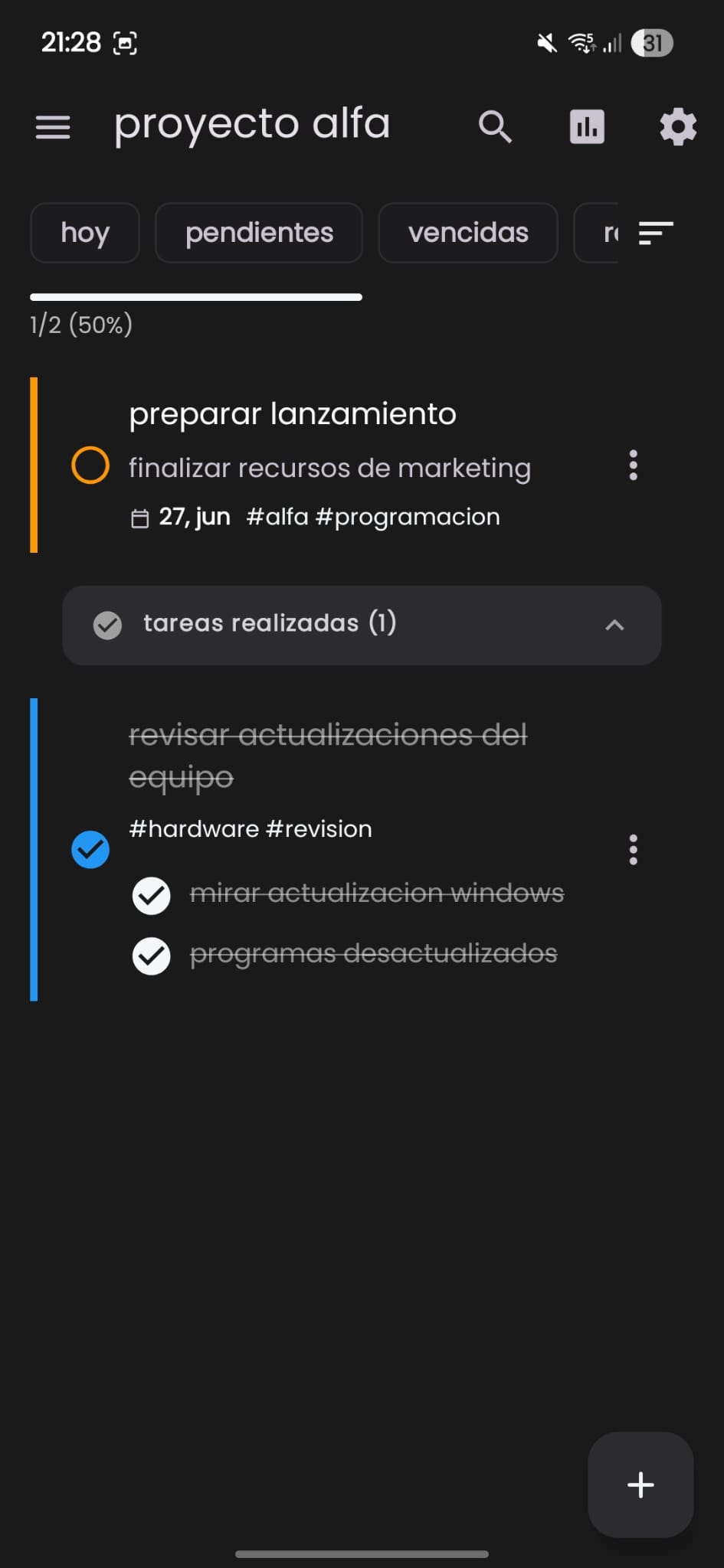
task list
track progress, completed tasks and pending items inside any list.
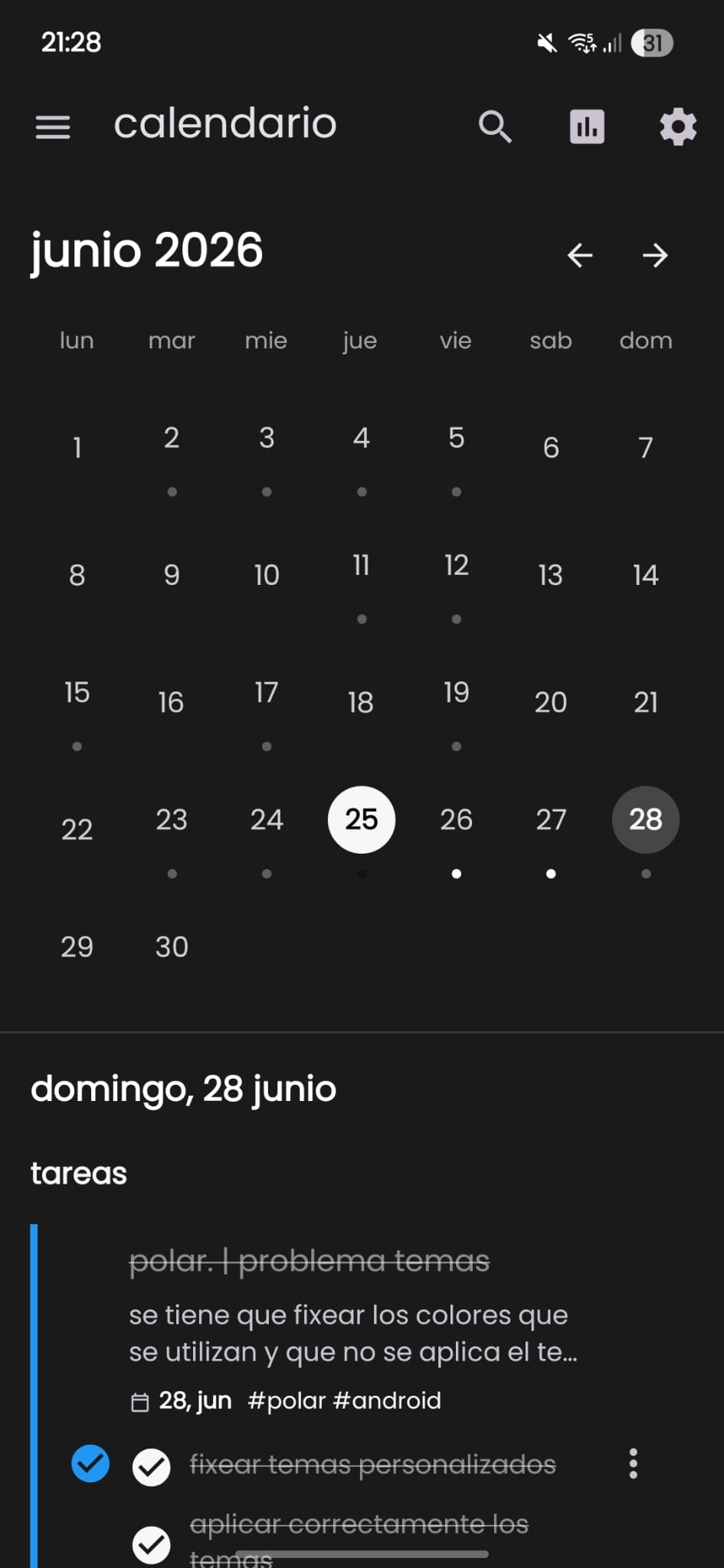
calendar view
dot indicators for busy days and a bottom sheet with the selected day's agenda.
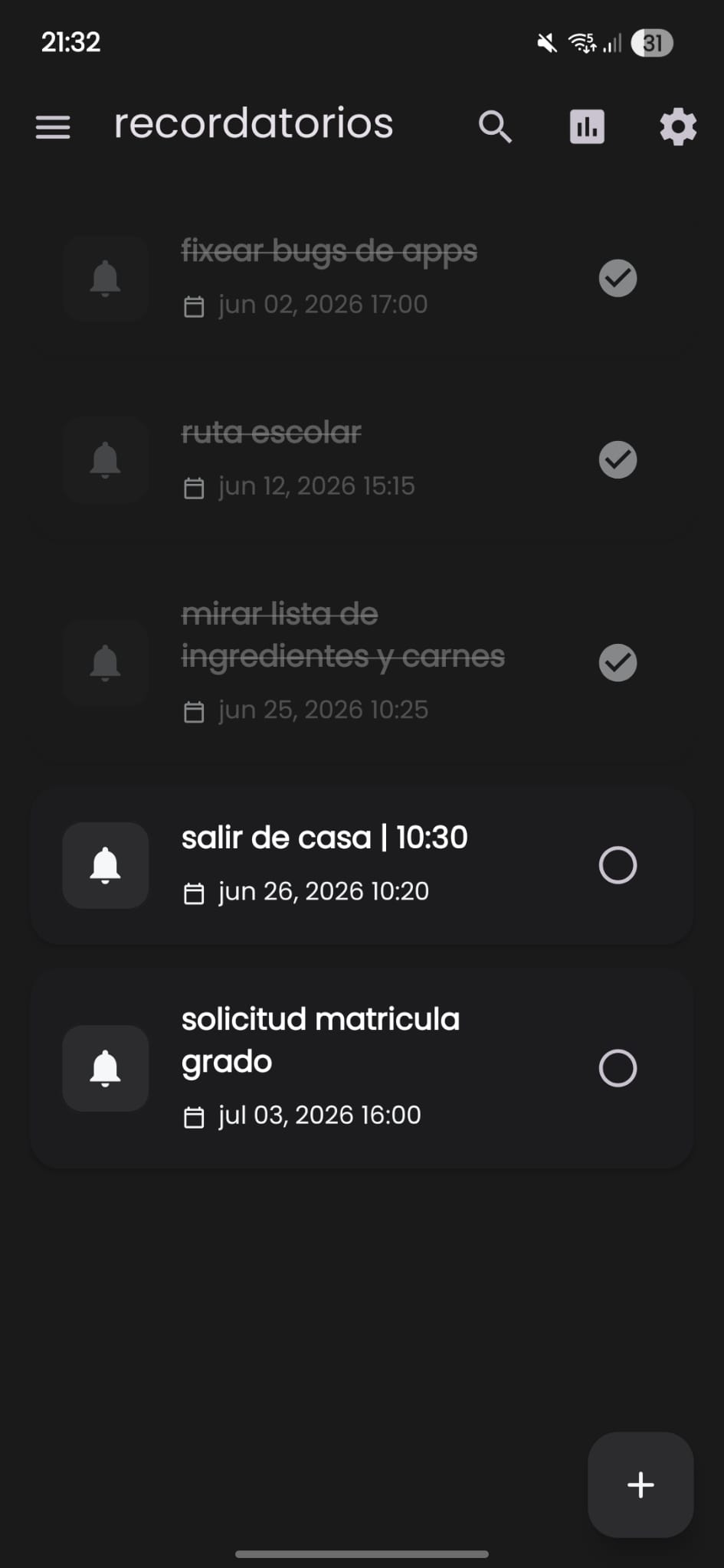
reminders
date and time reminders gathered in one place so nothing slips through.
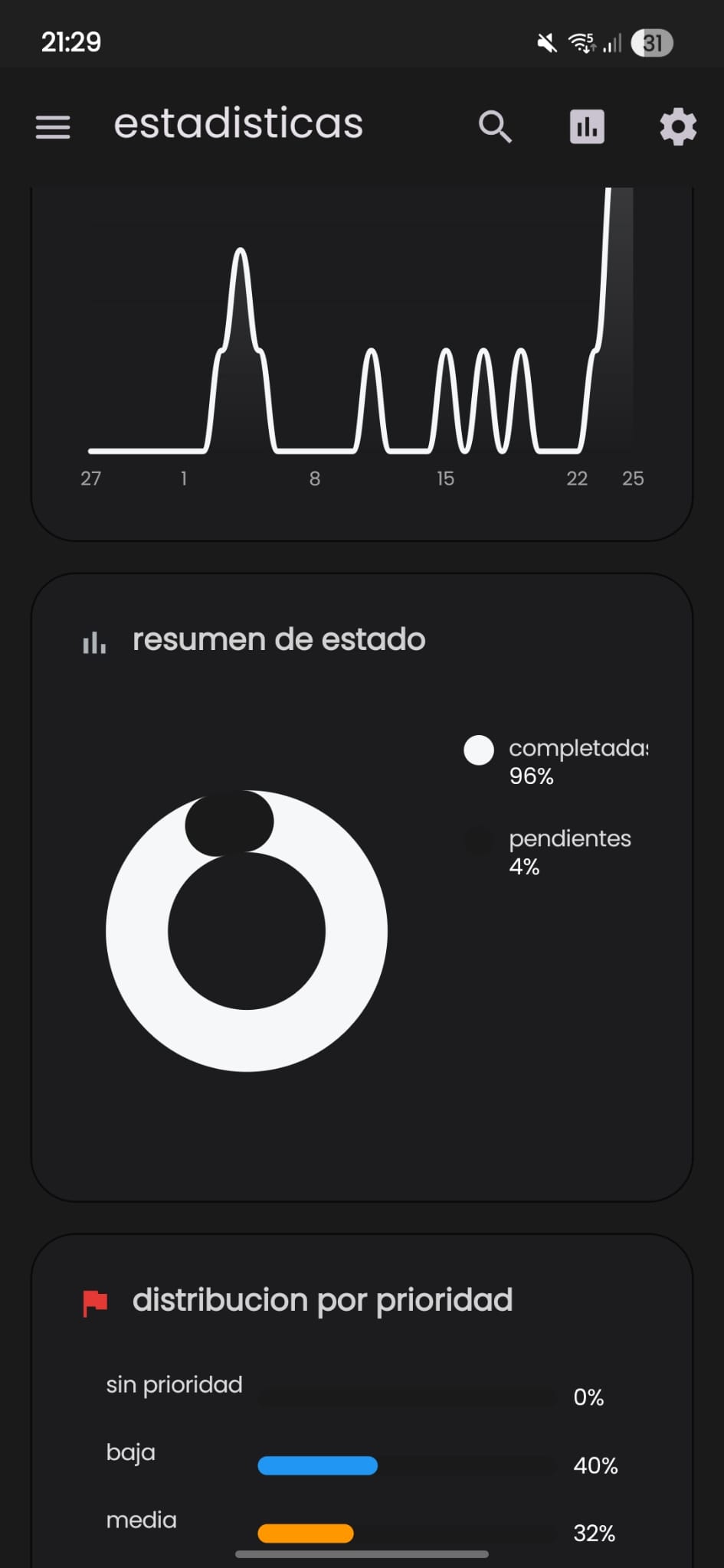
statistics
completion rate, activity bars, trend lines, priority breakdown and your current streak.
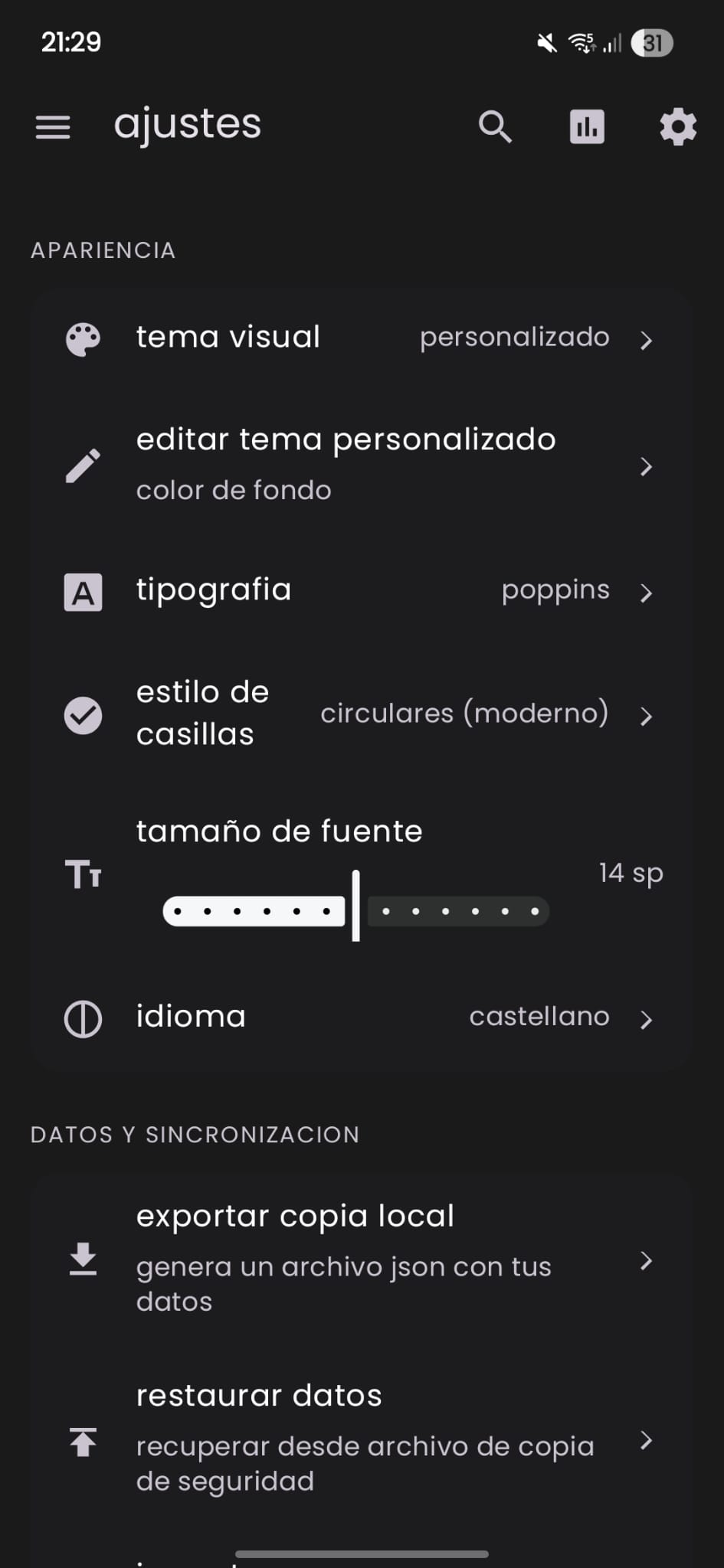
personalization
themes, fonts, checkbox shapes and font size — all instantly previewed.
seven themes, one you
from clean light to neon dark. pick the mood that matches your workflow.
your data, your choice.
go fully offline or sync across devices. either way polar. has no ads and no trackers, and your data always lives in a local room database first.
truly offline
the offline build has no account, no sync and no internet permission. works on a plane, underground or anywhere.
invite-only cloud sync
accounts for the online build are granted only by the developer. without a linked account it makes no network connections and everything stays on your device.
local backup
Export and import your data as JSON or CSV. Keep full control of your information.
open source
the full source code is on github. inspect it, fork it or contribute.
widget & backup
your day's tasks on the launcher home screen, plus secure local backups you control.
launcher widget
see today's pending tasks at a glance without opening the app.
json & csv
backup your entire database or export lists for spreadsheets.
about the online build
please read this before downloading it. the online build is not an open service: it is administered by the developer.
you can't create an account
there is no sign-up in the app or on this website. the online build is administered by the developer (rezzt.dev), who personally decides which people are granted an account.
just as good without one
without an account, the online build works exactly as well as the offline build: tasks, lists, calendar, reminders, statistics, themes, widget and backups. an account only adds cloud sync.
no account, no connection
until you sign in with an account granted by the developer, the online build makes no network connections: no supabase, no microservices, no background calls. your data stays on your device.
no account? you are not missing any feature. and if you'd rather the internet permission not be declared at all, download the offline build.
want an account?
send a request to the developer by email. the button opens your mail app with the subject and a short template already filled in.
contacto@rezzt.dev
every request is reviewed personally. accounts are granted at the developer's discretion.
ready to simplify your day?
free and open source. pick the build that fits you: both come from the same codebase.
why can't i create an account? · request an account
latest release: v1.7 · release notes
mit license · no tracking · no ads